A recent analysis of FDA data revealed that labeling errors, especially missing allergen disclosures, caused nearly half of all food product recalls across the United States. This statistic shows how a single paper insert can interrupt production schedules, delay shipments, and trigger expensive compliance failures.
You may spend months refining product design, sourcing materials, and testing packaging, only to face delays caused by poorly engineered instruction sheets. Operations teams often battle folded inserts that spring open, block box closures, and slow assembly lines, creating unnecessary labor waste.
In this blog, we’ll explore the role of product information sheets in manufacturing and packaging operations at scale. We will cover material specifications, compliance requirements, folding methods, and print decisions that help prevent production disruptions.
Key Takeaways:
Product information sheets function as physical components that directly affect packaging fit, assembly speed, and compliance outcomes.
Paper weight, opacity, and grain direction determine whether folded inserts behave correctly during production and insertion.
Small print decisions can cause line stoppages, rejected units, and costly delays when not tested before full production.
Design templates alone cannot prevent production failures without physical fit checks and material validation.
Handling printing, folding, and kitting together reduces risk and keeps finished units ready for shipment.
What Is a Product Information Sheet?
Most teams define a product information sheet as a digital file containing marketing copy and technical specifications for buyers. This view fits sales workflows but ignores what happens once production begins on the factory floor.
In regulated fields like medical devices, the document is known as an Instruction for Use (IFU) and must accompany each product. While not legally required in industries such as food and consumer goods, inserts remain vital operational components, necessitating precise version control, durability, and a reliable fit within packaging workflows.
The sheet must endure high-speed folding, compact insertion, and handling without tearing, smearing ink, or slowing line workers. When it fails, boxes will not close, machines stop, and small paper choices create large production delays.
Now that you understand what a product information sheet is, you need clarity on how it differs from related documents used across teams.
Also Read: Printed Instructional Materials: Design & Production Guide
Product Data Sheet vs. Sell Sheet vs. Spec Sheet
These terms are often used interchangeably, which creates confusion between teams responsible for marketing, engineering, compliance, and packaging execution. Each document serves a different purpose and behaves differently once it becomes a printed component inside the supply chain.
Here are the key differences, defined by how each document functions physically during printing, handling, folding, and insertion:
Category | Product Data Sheet / IFU | Sell Sheet | Spec Sheet |
Primary Purpose | Usage instructions and compliance information | Product promotion and sales support | Internal technical reference |
Typical Audience | End users, regulators, quality teams | Sales teams, distributors, buyers | Engineers, sourcing, manufacturing |
Physical Characteristics | Lightweight opaque text paper, multiple folds, compact size | Thick cardstock, glossy finish, flat format | Standard bond paper, minimal folding, often digital-first |
Understanding document differences prepares you to decide which details belong inside a product information sheet used during manufacturing and assembly.
Also Read: Pressure-Sensitive Labels: Uses, Benefits & Applications
What to Include in a Product Information Sheet
A product information sheet must communicate clearly while also performing reliably during printing, folding, and insertion. The content must support compliance, production accuracy, and assembly speed without creating physical handling issues on the line.
Here are the core elements every production-ready product information sheet should include:
Product Identification: Product name, model number, and revision version must appear clearly so teams can track updates and avoid mixing outdated inserts.
Usage Instructions:
Step-by-step directions must remain readable after folding, handling, and insertion into compact packaging formats.Technical Specifications: Measurements, materials, operating limits, and tolerances should be presented in a structured layout that stays legible at small sizes.
Regulatory and Safety Markings: Required symbols such as FDA, CE, or recycling icons must print sharply to meet inspection standards.
Barcodes and QR Codes: Codes require adequate quiet zones so scanners read correctly during warehousing, audits, and returns processing.
Language Structure: Multilingual sections must follow a clear hierarchy so readers can find the correct language quickly without confusion.
Manufacturer and Contact Details: Company identification and support information must remain visible even after multiple folds and handling steps.
Once content is defined, you must consider how that information behaves when printed, folded, and handled at scale.
Are your product information sheets designed to perform at production scale? Explore advanced printing and packaging solutions services that support compliant inserts and consistent assembly results.
How to Create a Product Information Sheet
Creating a product information sheet for manufacturing requires planning beyond copy and layout decisions. Each choice affects how the sheet behaves during printing, folding, handling, and insertion inside the packaging process.
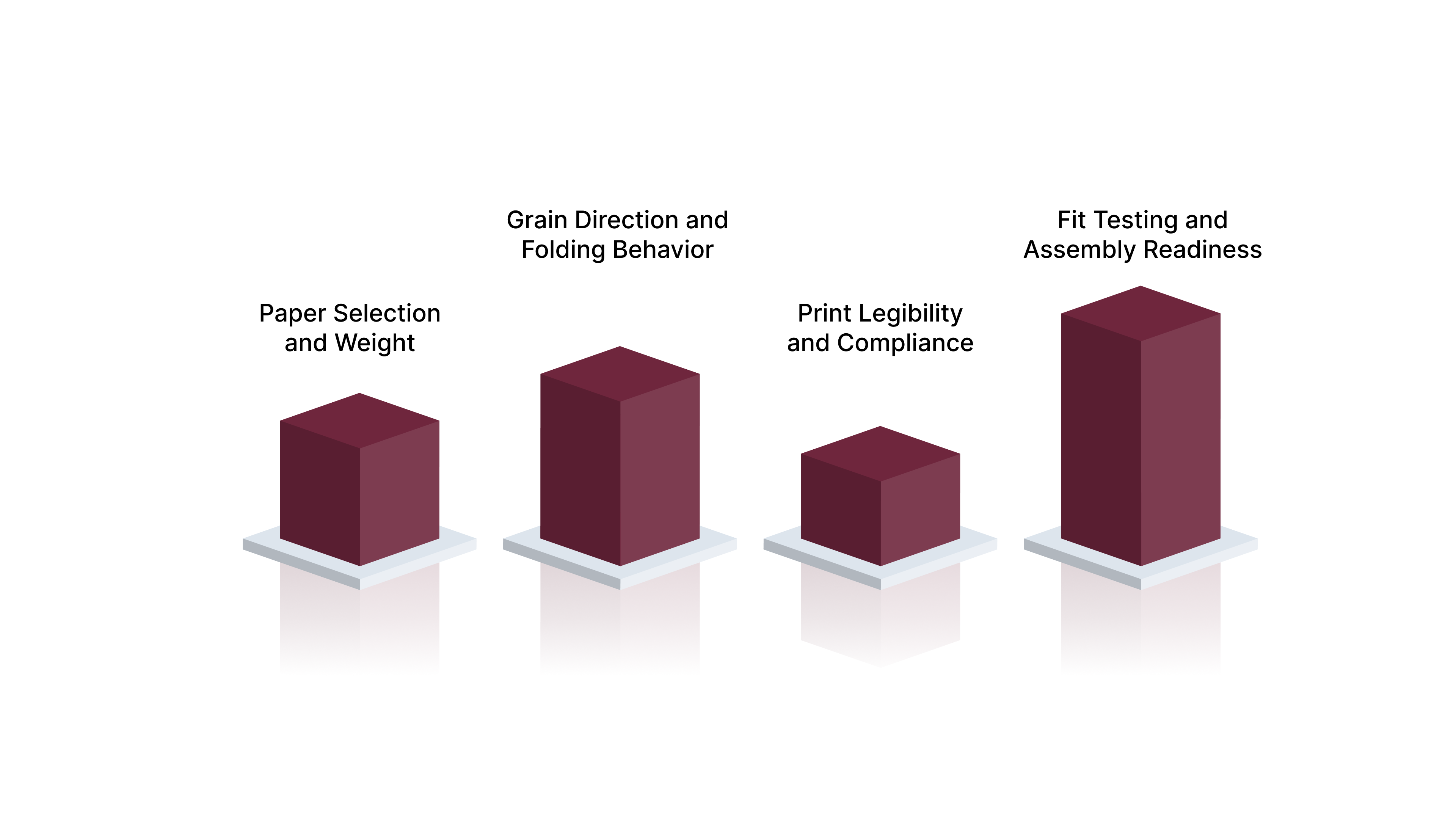
Here are the core production considerations that determine whether a product information sheet performs reliably on the assembly line:
Paper Selection and Weight
Paper choice controls how well the sheet folds, resists bleed-through, and fits inside tight packaging spaces. Selecting the wrong stock often causes issues that surface only after production begins, leading to line slowdowns, rework, or rejected units.
Here are the key paper factors to evaluate:
Opacity: High-opacity text paper prevents text from showing through when printing on both sides.
Weight Range: Lightweight stocks between forty and sixty pounds fold compactly without adding bulk.
Surface Finish: Uncoated paper reduces smearing during folding and handling at speed.
Grain Direction and Folding Behavior
Paper fibers run in a single direction, which affects how the sheet bends and compresses. Ignoring grain direction often leads to cracking or inconsistent folds.
Here are the folding considerations that matter most:
Grain Alignment: Folding with the grain reduces resistance and improves fold consistency.
Fold Count: Multiple folds require thinner stocks that compress without springing open.
Fold Type: Miniature, map, or cross folds should match the product size and box cavity.
Print Legibility and Compliance
Text clarity must remain intact even at small sizes required by regulatory content. Print methods and ink coverage directly affect readability and inspection outcomes.
Here are the print factors to confirm:
Small Text Clarity: Fonts at six-point size must remain sharp without filling in.
Ink Density: Balanced ink coverage avoids smudging during high-speed folding.
Front-to-Back Registration: Precise alignment keeps text blocks from overlapping after folding.
Fit Testing and Assembly Readiness
A finished insert must fit the box without resistance or deformation. Fit problems usually appear only after multiple components reach the assembly line.
Here are the final checks to complete before full production:
Box Fit Verification: The folded insert must sit flat inside the package without forcing closure.
Insertion Method: Manual and automated insertion require different fold tolerances.
Handling Durability: The sheet should withstand repeated handling without tearing or curling.
Understanding creation steps also helps you recognize where common mistakes appear once materials reach the folding and assembly stages.
Also Read: How Much Does Custom Packaging Cost? Full Breakdown + Letterpress Pricing
Common Mistakes That Jam Production Lines
Many production delays tied to product information sheets trace back to small physical choices made early in the print process. These issues often remain invisible during design reviews and appear only when materials reach folding machines or assembly stations.
Here are the most frequent failures that disrupt packaging lines and slow output:
Paper That Springs Open: Using paper that is too thick causes folded inserts to resist compression, forcing boxes open and stopping automated insertion equipment.
Ink Smearing During Folding: Heavy ink coverage on lightweight paper can transfer during high-speed folding, creating unreadable text and rejected units.
Poor Grain Direction Planning: Folding against the paper grain leads to cracking, uneven folds, and inserts that refuse to stay compact inside packaging.
Insert Size Mismatch: Even small dimensional differences can prevent inserts from fitting box cavities, especially when sourced separately from packaging components.
Unreadable Small Text: Tiny regulatory text can blur or fill in when print settings are not suited for dense copy, creating compliance risks.
Late Fit Testing: Skipping physical fit checks until full production often reveals problems only after labor and materials are already committed.
These recurring issues raise an important question about whether design templates alone can support manufacturing demands.
Also Read: The New Rules of Luxury Packaging: Materials, Failures & How to Get It Right
When Product Information Sheet Templates Are Not Enough
Design templates help teams organize content and visualize layout, but they rarely account for what happens once printing and folding begin. Problems often arise when documents designed for screens are sent directly into physical production environments.
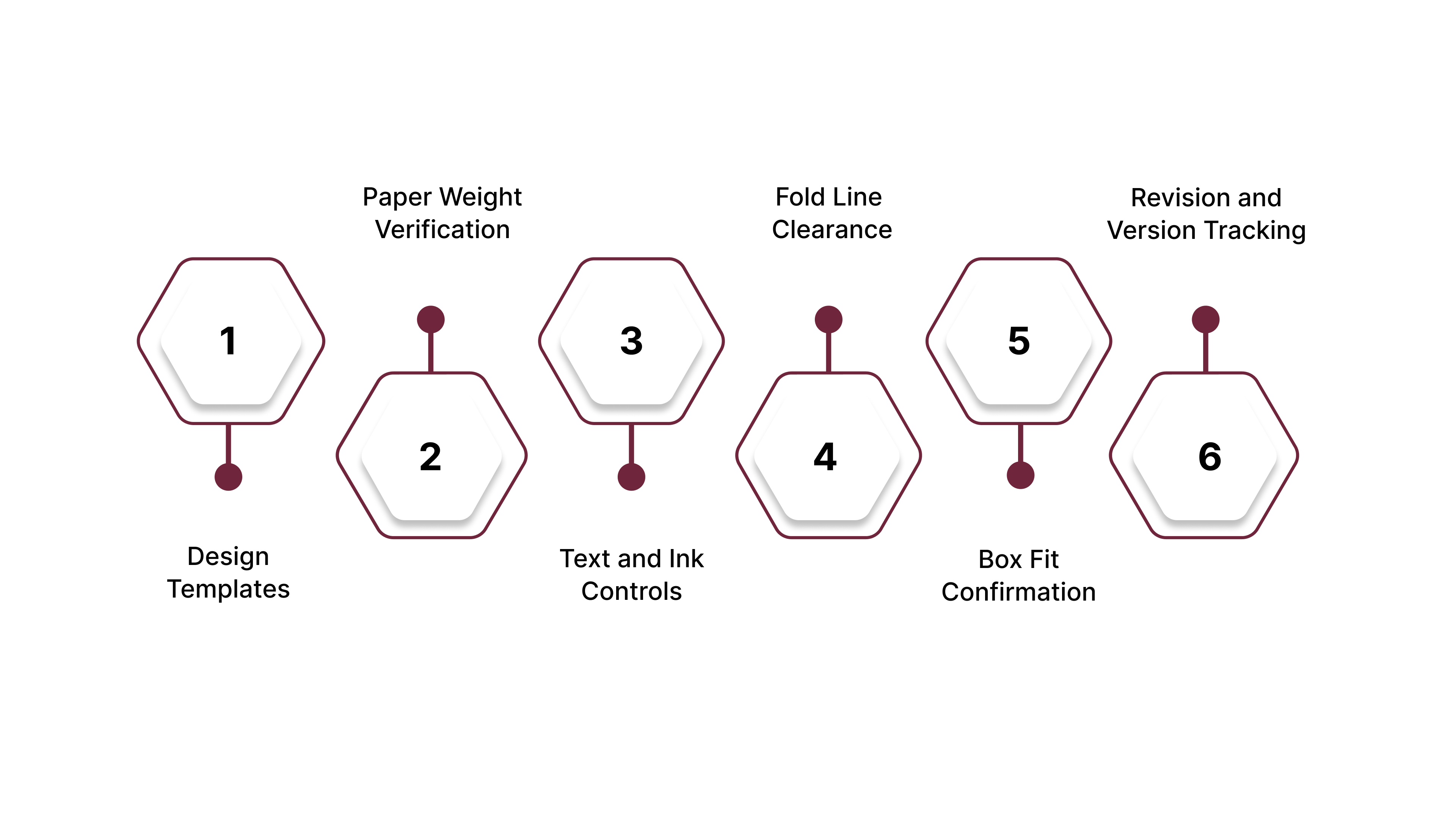
Here are the key differences between using templates and relying on production-focused checklists:
Design Templates: Templates focus on layout, spacing, and visual balance, which support early reviews but ignore folding behavior and material limits.
Paper Weight Verification: A checklist confirms whether the selected paper can withstand the required number of folds without cracking or springing open.
Text and Ink Controls: Production checks ensure small fonts use solid black ink and avoid heavy coverage that causes smearing during folding.
Fold Line Clearance: Checklists verify that critical text and symbols remain clear of fold lines after compression.
Box Fit Confirmation: Production reviews require physical test fitting to confirm the folded insert sits flat inside the final package.
Revision and Version Tracking: Checklists enforce clear version labeling so outdated inserts never enter active inventory.
With production checks defined, the final consideration is how packaging, printing, and assembly work best when handled together.
Also Read: Cost-Effective Packaging Solutions: Smart Strategies for Businesses
How GMS Industries Solves the Packaging Puzzle
Many manufacturing teams struggle when packaging components come from multiple vendors with different tolerances, schedules, and quality controls. Managing boxes, inserts, folding, and assembly separately often leads to fit issues, color inconsistencies, and production delays that surface far too late.
Here are the ways GMS Industries addresses these challenges through a single, coordinated packaging approach:
Box and Insert Manufacturing Under One Roof: Corrugated boxes, chipboard cartons, and printed instruction sheets are produced within the same production environment to ensure dimensional compatibility.
High-Precision Offset Printing for Inserts: Advanced sheet-fed offset presses support sharp text, stable color reproduction, and consistent front-to-back registration for compliance-heavy documentation.
Automated Folding and Bindery Capabilities: In-house folding equipment handles complex miniature, map, and multi-panel folds at volume without relying on manual labor.
Diecutting and Structural Control: Custom box structures are cut and finished with tight tolerances so inserts fit flat without forcing closures or stressing packaging.
Kitting and Physical Insertion Services: Instruction sheets are folded and placed inside boxes before shipment, eliminating assembly work at the customer’s facility.
Inventory Storage and Staged Shipping: Finished packaging components can be stored and released in scheduled quantities to support production planning and warehouse flow.
By managing printing, folding, packaging, and kitting together, this approach reduces component mismatch and helps maintain steady production without avoidable stoppages.
Conclusion
Product information sheets may appear small, yet they carry compliance obligations, usability requirements, and physical constraints that affect every stage of production. When these documents are treated as afterthoughts, minor paper issues can halt assembly lines and delay product releases.
Successful manufacturing depends on treating instruction sheets as engineered components that must print clearly, fold accurately, and fit packaging without resistance. Careful material choices, folding methods, and fit testing reduce disruptions and protect both timelines and product credibility.
Contact us today to discuss your packaging requirements and explore options for printing, folding, and kitting support.
FAQs
How often should product information sheets be reviewed and updated?
Product information sheets should be reviewed whenever product specifications, regulations, or packaging formats change. Many manufacturers also schedule periodic reviews to confirm accuracy before large production runs.
Can product information sheets support sustainability goals?
Yes, paper selection and ink coverage can reduce material waste and shipping weight. Choosing lighter stocks and right-sized formats helps limit excess paper usage without affecting readability.
Should product information sheets be stored separately from finished packaging?
Storing inserts separately increases the risk of version mix-ups and shortages. Keeping sheets paired with packaging components helps maintain consistency during fulfillment and shipping.
How do production volumes affect insert design decisions?
Higher volumes increase sensitivity to minor issues like fold resistance or ink transfer. Design choices that work for short runs may cause problems when production scales.
What happens if a product information sheet changes after packaging is produced?
Late changes often require reprinting inserts or reworking packaged inventory. Clear revision tracking and approval processes help prevent outdated sheets from entering distribution.